
Postal vs. Superhuman
A free Superhuman alternative for Gmail on Mac
Postal is a free, keyboard-first Mac app for Gmail. Single-key shortcuts, ⌘K for every command, and your mail never touches our servers.
Join the waitlistFree · Mac app for Gmail
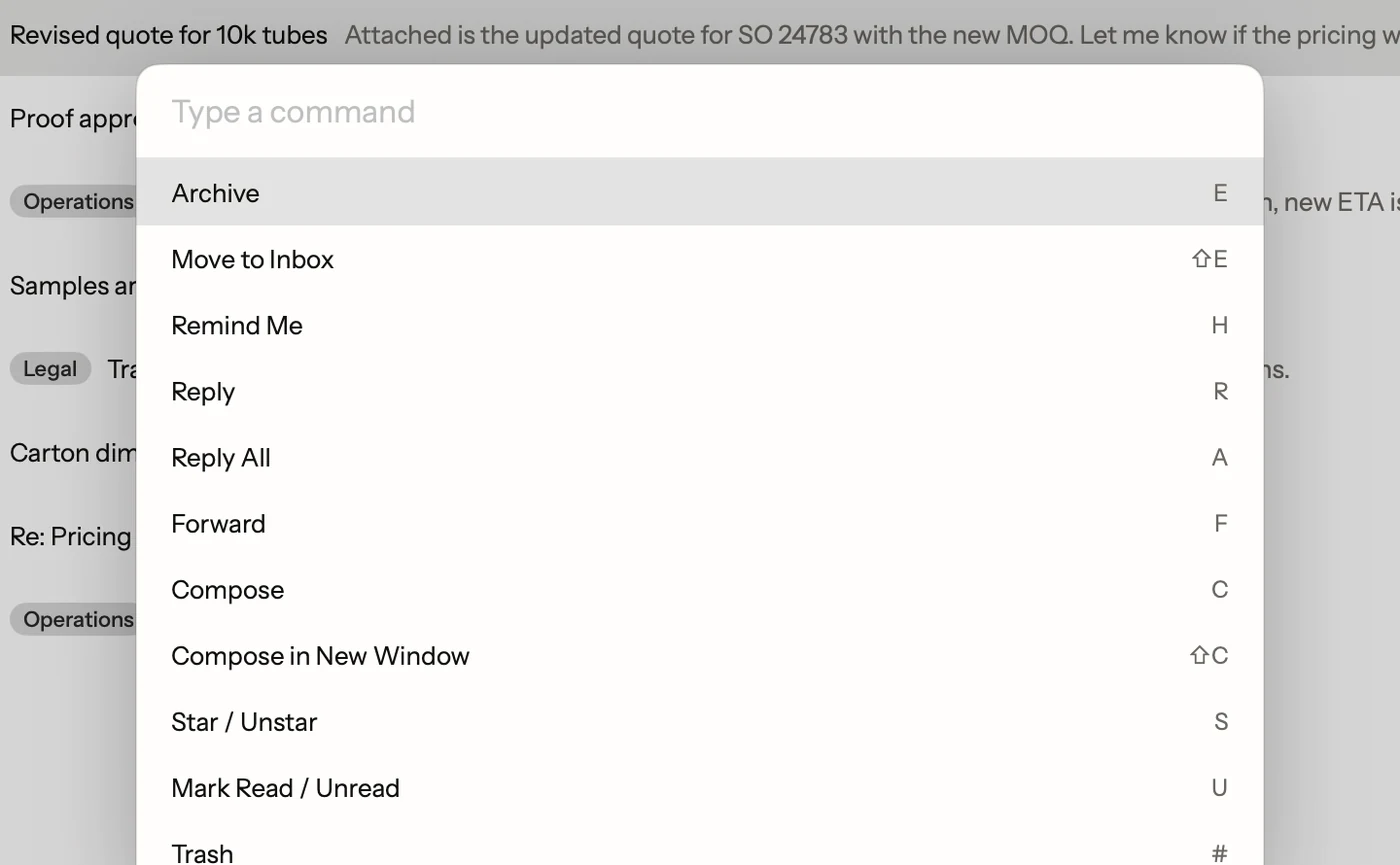
Superhuman made fast email a thing people pay for. One key archives, another replies, ⌘K finds everything else, and the inbox stays empty because clearing it takes seconds. It's good software.
It also costs money. Superhuman Mail's Starter plan is $25 a person a month, billed yearly, or $300 a year.
Postal is a Mac app built on the same idea: email should be handled from the keyboard, one key at a time. It's free.
What carries over from Superhuman
If your hands already know Superhuman, most of Postal will feel familiar on day one.
- Single keys for the daily work. E archives, R replies, A replies to everyone, F forwards, C starts a new email, H hides an email until later, # trashes it.
- ⌘K for everything else. Type what you want, like "label" or "unsubscribe", and run it. The menu shows each command's key, so you learn the shortcut by using it.
- Undo for everything. Z takes back an archive, a label, a trash, or a send.
- Remind me later. H hides an email until later today, tomorrow, next week, or any day you type, then brings it back to the top.
- Split inbox. Postal splits your mail into tabs you set up, plus an FYI tab for alerts and newsletters. Tab moves between them.
- Undo Send and send-and-archive. Pick a 5, 10, 20 or 30 second wait to take an email back, and ⌘⇧↵ sends a reply and archives the conversation in one go.
Where Postal is different
| Postal | Superhuman | |
|---|---|---|
| Price | Free | Starter is $25 a person a month, billed yearly |
| Where your mail goes | Only between your Mac and Google | Superhuman's service handles your content, per its privacy policy |
| AI | Apple's on-device model, on your Mac | Cloud AI |
| Accounts | Gmail and Google Workspace | Gmail and Outlook |
| Apps | Mac. iPhone is on TestFlight | Mac, iPhone and more |
Your mail stays between you and Google
Postal has no servers that hold your mail. Your Mac talks to Google directly, the way Gmail's own apps do. We never see your email, so we can't read it, sell it, or lose it in a breach. Mail saved on your Mac for speed is stored encrypted.
The AI runs on your Mac
Postal's AI search and Smart Compose use Apple's on-device model. Type what you remember, like "the contract Dana sent in March", and Postal turns it into the right Gmail search. Start a sentence and gray words offer the rest. No email goes to an AI company. More in AI for Gmail on your Mac. This needs macOS 26 with Apple Intelligence turned on; everything else works on macOS 15 or later.
What Postal doesn't do
Be honest with yourself about what you use. Postal doesn't have Superhuman's team features or Outlook accounts today, and the iPhone app is still on TestFlight. Superhuman's AI does more, from drafting replies to, on its Business plan, answering questions about your inbox. If those matter to you, Superhuman is worth its price. If what you love is working from the keyboard, Postal gives you that for free.
Switching moves nothing
Your mail doesn't move. Postal reads the same Gmail account Superhuman does, so your labels, archive and sent mail are already there. What you'd set up again is Superhuman's own: snippets become Postal's text shortcuts, and split inbox rules become tabs from your labels. Join the waitlist, and once your batch is in, sign in with Google on Google's own page and Postal shows your inbox. Batches go out every Tuesday.
A practice tutorial walks through the main keys on a fake inbox, so you can learn the few that differ without touching real mail. ⌘K then "Tutorial" opens it any time.
Facts on this page checked . Other apps change; their own sites have the latest.
Join Postal's free waitlist
Leave your email and click the link we send to confirm it. Everyone confirmed by Tuesday at 10 AM Pacific gets an invite that day, and we help each one get set up.
Free · macOS 15 or later · Gmail and Google Workspace. The iPhone app is on TestFlight. How we use your email