
Postal vs. Mimestream
A free Mimestream alternative for Gmail on Mac
Like Mimestream, Postal is a native Mac app made only for Gmail. Postal is free, and built around single-key shortcuts, inbox tabs you set up and on-device AI.
Join the waitlistFree · Mac app for Gmail
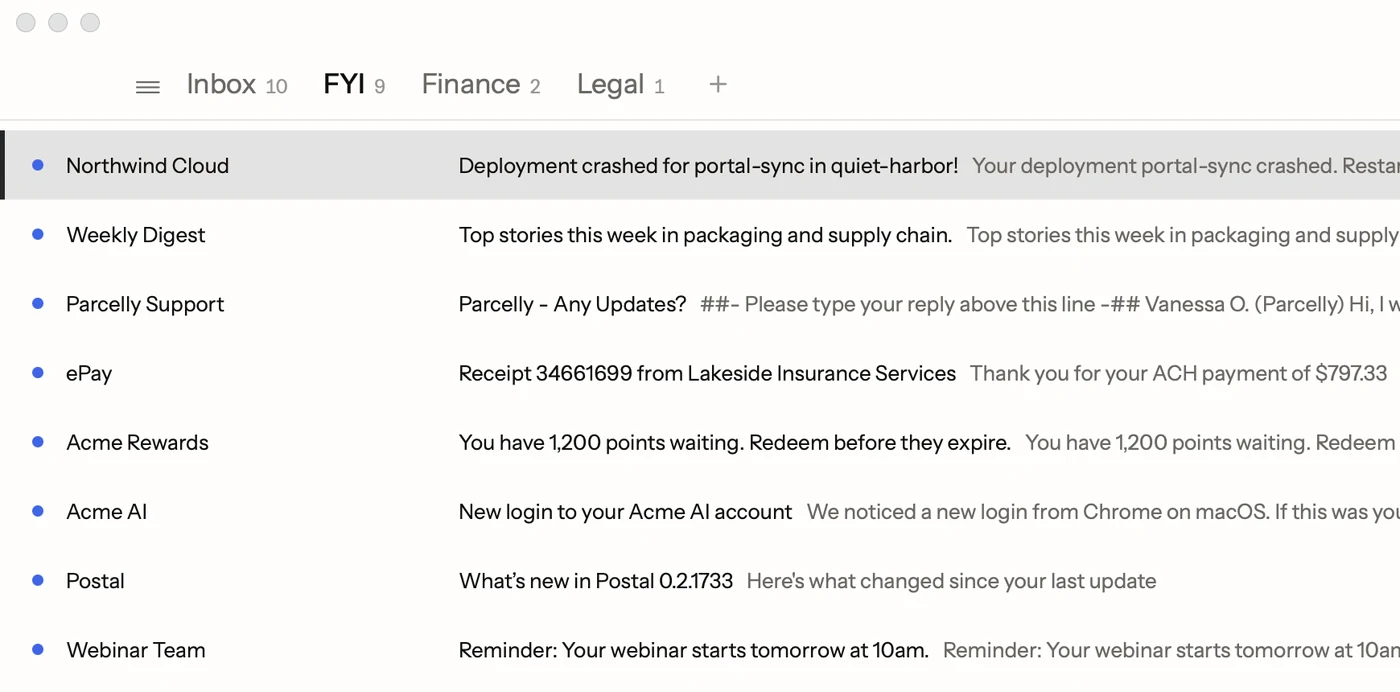
Mimestream is a well-made Mac app for Gmail. It talks to Gmail through Gmail's own connection instead of IMAP, so labels behave like labels, and it feels at home on a Mac. If you've used it, you already know why a Gmail-only app beats a general one.
Postal is built the same way, for the same people. Both have keyboard shortcuts, both have saved replies (Mimestream calls them templates), and both keep your mail between your Mac and Google. The differences are the price and what each app is built around.
Side by side
| Postal | Mimestream | |
|---|---|---|
| Price | Free | $49.99 a year or $4.99 a month, after a 14-day trial |
| Accounts | Gmail and Google Workspace | Google accounts |
| Mail on the app maker's servers | Never | No |
| iPhone | On TestFlight | In beta |
Mimestream's prices and trial are from its own pricing page.
What Postal is built around
The keyboard
Postal treats the keyboard as the main way in, the way Superhuman does. E archives and moves to the next email, H hides one until later, L labels, V moves to a label, Z undoes. ⌘K finds any command by name and shows its key, and a practice tutorial teaches the main ones on a fake inbox.
An inbox split the way you think
Gmail's own categories are fixed: Primary, Promotions, Social, Updates and Forums (more on tabs). Postal lets you make tabs from your own labels, like Invoices or Clients, group several under one tab, and add Gmail's categories as tabs too if you like them. Alerts and newsletters gather in FYI, apart from the mail that needs an answer.
AI that stays on your Mac
Type a sentence like "receipts from the hotel in Denver" and Postal turns it into the right Gmail search. Start typing a reply and Smart Compose offers the rest of the sentence in gray. Both run on Apple's on-device model, so no email goes to an AI company; the search it writes goes to Google, like any Gmail search. They need macOS 26 with Apple Intelligence turned on.
Writing shortcuts
Mimestream has templates too. Postal's text shortcuts work by typing instead of picking: type ;ty and your whole thank-you goes in. More in Gmail templates. New drafts can open with "Hi" and the person's first name already typed.
What they share
Both apps keep your mail between your Mac and Google, use your Gmail signature, send from your aliases, and work with more than one Google account. Neither runs your mail through its own servers.
Trying it side by side
Postal is free and signs in to the same Gmail account, so nothing moves. Join the waitlist, and when your Tuesday batch comes, keep Mimestream installed while you try Postal. Use whichever one you reach for.
Facts on this page checked . Other apps change; their own sites have the latest.
Join Postal's free waitlist
Leave your email and click the link we send to confirm it. Everyone confirmed by Tuesday at 10 AM Pacific gets an invite that day, and we help each one get set up.
Free · macOS 15 or later · Gmail and Google Workspace. The iPhone app is on TestFlight. How we use your email