
Field guide
How to unsubscribe from emails in Gmail, for good
Gmail's Unsubscribe link, the footer link, and what to do about newsletters that only let you out by email. Plus a one-key way to do all of it on a Mac.
Newsletters are the easiest mail to stop and the most common reason an inbox stays full. Every one you drop is a decision you'll never make again. Here's how to get off lists in Gmail, from the easy ones to the stubborn ones.
The easy way: Gmail's Unsubscribe link
For many mailing lists, Gmail puts an Unsubscribe link at the top of the email, next to the sender's name. Click it, confirm, and Gmail asks the sender to take you off. Google asks bulk senders to honor it within two days.
All your lists at once: Manage subscriptions
Gmail also has a page that gathers your mailing lists in one place. In Gmail, open the menu on the left, click More, then Manage subscriptions. It lists the senders that email you most, with an Unsubscribe button beside each. Google is still rolling it out, so you may not see it yet. Google's help page has the details.
The footer link
No link at the top? Scroll to the bottom of the email. Nearly every newsletter has an unsubscribe link in its footer, often in small gray text. It opens a page on the sender's site. Some ask you to confirm, some ask why you're leaving, and some give you a list of mailings to pick from.
The stubborn ones: unsubscribe by email
A few lists only let you out by sending them an email, usually an empty one to an address with "unsubscribe" in it. The footer link opens a new draft instead of a web page. Send it as is.
When unsubscribe isn't the answer
- Spam isn't a newsletter. If you never signed up, don't click anything in it. Report it as spam instead, with ! in Gmail, and Gmail learns from it.
- Keep the store, lose the noise. If you want a shop's receipts but not its sales, look for an email preferences page instead of a full unsubscribe.
One key in Postal
In Postal, our free Mac app for Gmail, one shortcut does all of the above. Press ⌘U on a newsletter and Postal unsubscribes and archives it. A list with a one-click unsubscribe, or one whose only way out is an email, is handled for you. A list that only has a web page opens it in your browser for you to finish. Z undoes the archive if you change your mind.
For mail that isn't a newsletter at all, ! sends it to Spam and out of your inbox, and # sends it to the Trash.
Keep the ones you like out of the way
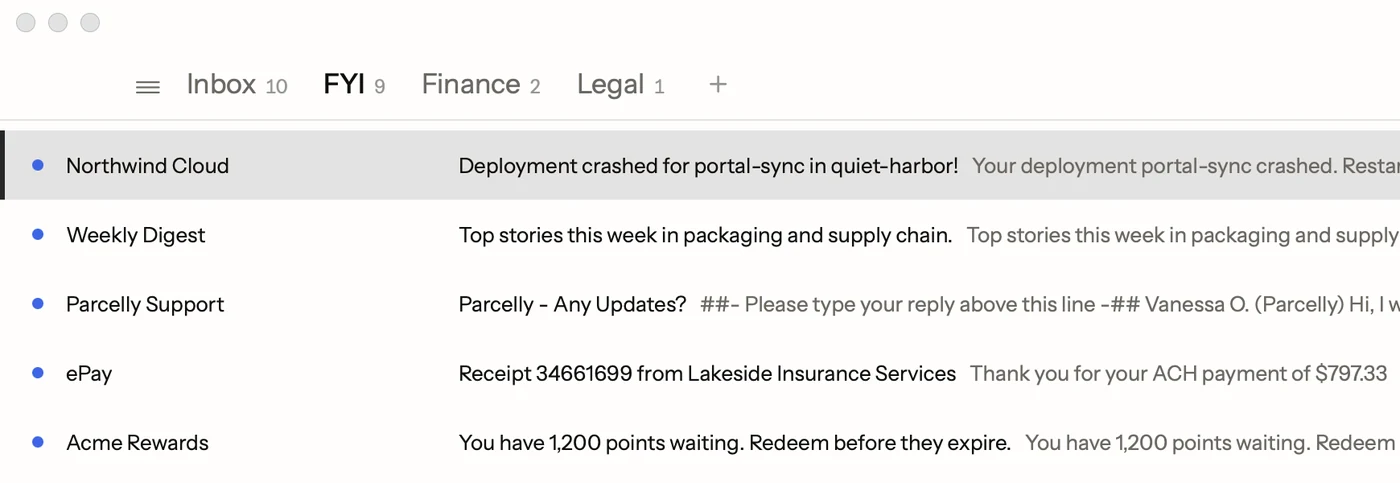
You don't have to unsubscribe from everything to stop newsletters crowding your inbox. Postal moves alerts and newsletters into an FYI tab on their own (more in custom inbox tabs), so they wait for a quiet minute instead of sitting between the emails that need an answer.
Facts on this page checked . Other apps change; their own sites have the latest.
Join Postal's free waitlist
Leave your email and click the link we send to confirm it. Everyone confirmed by Tuesday at 10 AM Pacific gets an invite that day, and we help each one get set up.
Free · macOS 15 or later · Gmail and Google Workspace. The iPhone app is on TestFlight. How we use your email