
Field guide
How to undo send in Gmail, and catch mistakes before they go
Gmail can take back an email for up to 30 seconds after you press Send. How to set it, why there's no undo after that, and checks that stop the mistake early.
Just sent it? In Gmail on a computer, click Undo at the bottom left of the screen right now. In the Gmail app on a phone, tap Undo at the bottom. You have a few seconds.
How Undo Send works
Gmail's Undo Send doesn't pull back an email that already left. It works by waiting: after you press Send, Gmail holds the email for a few seconds before it really goes. Undo during that wait and it never leaves.
That means two things. You can choose how long the wait is, and once it's over, there's no taking it back.
Change how long you get in Gmail
- In Gmail on the web, click the gear at the top right, then See all settings.
- On the General tab, find Undo Send.
- Pick a send cancellation period: 5, 10, 20 or 30 seconds.
- Scroll down and click Save Changes.
Set it to 30. You'll rarely notice the wait, and the one time you need it you'll be glad of every second. Google's own steps are on its Undo Send help page.
Can you unsend after that?
No. Once the wait is over, the email is in the other person's inbox, and nothing in Gmail can reach in and remove it. Anything that claims to recall a sent Gmail message is really just the wait above. The only real fix is to catch the mistake before you press Send.
Undo Send in Postal
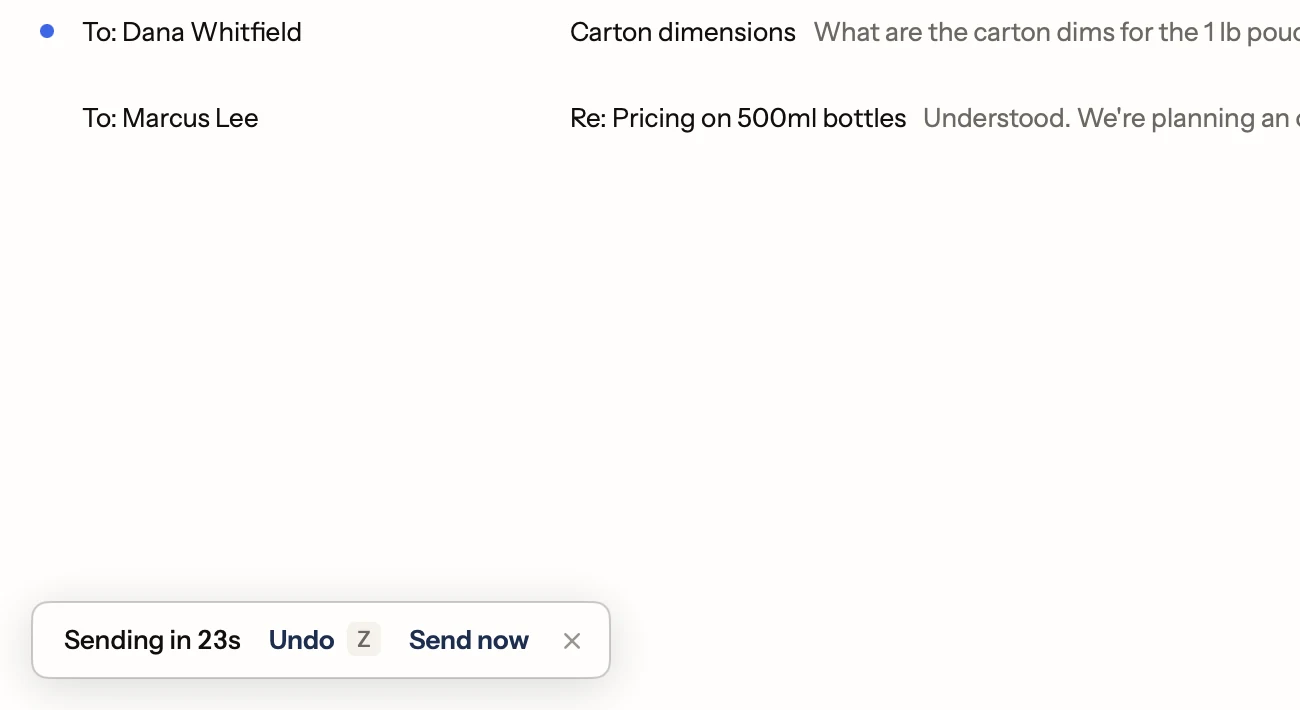
Postal works the same way, with the same choices: 5, 10, 20 or 30 seconds, set in Settings, Writing. The setting follows you to your other devices. Press Z during the wait and the draft comes back, ready to fix.
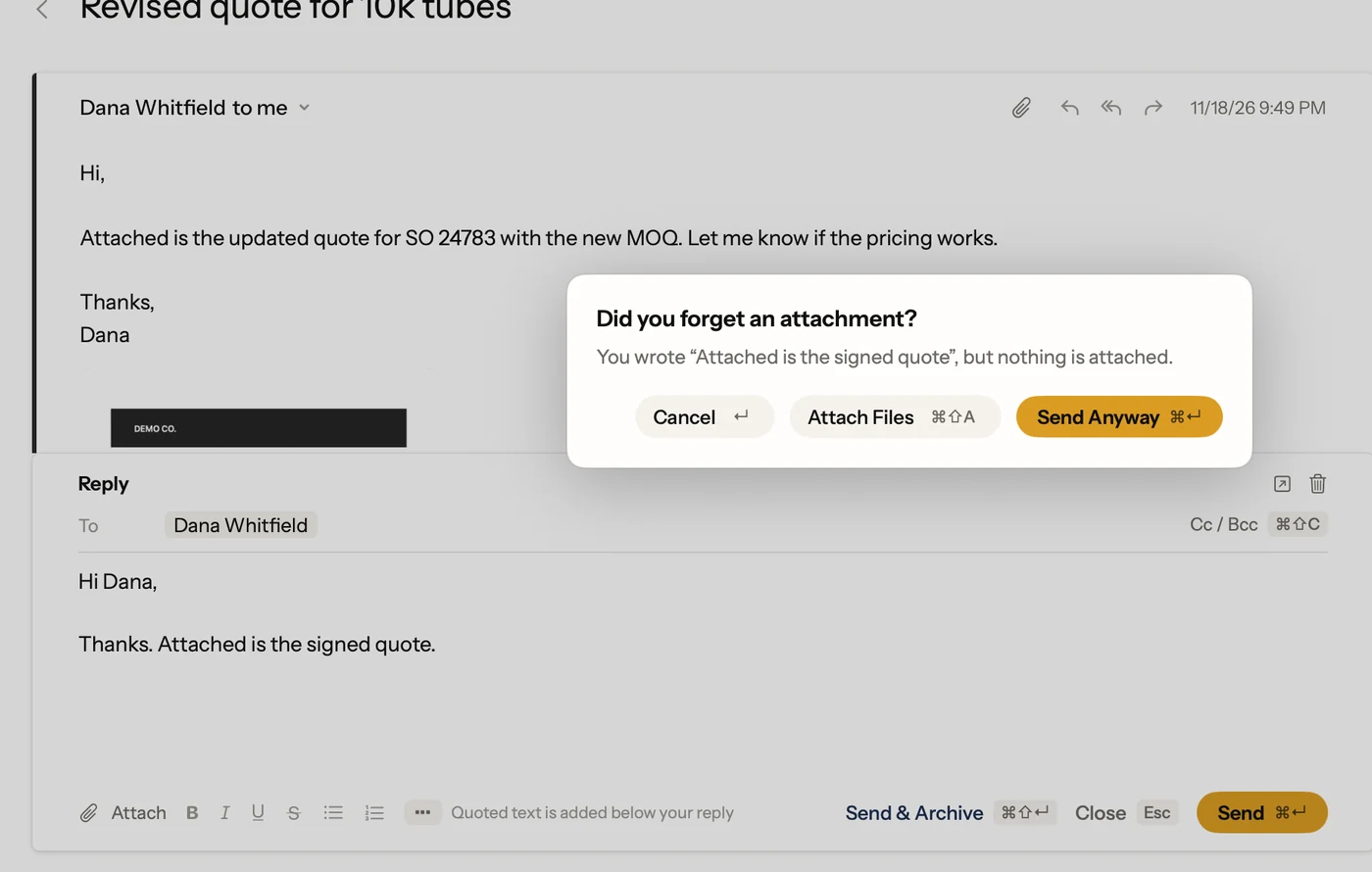
Postal also checks a few things before the wait even starts:
- Forgotten attachments. If your email says "attached" or "here's the file" and nothing is attached, Postal asks before sending.
- Files too big for Gmail. Gmail caps an email at 25 MB of attachments. Postal tells you the moment you pass it, not after you press Send.
- The right address. Answer mail sent to one of your other addresses, and the reply goes out from that address. When you have aliases, ⌘⇧F picks which address an email comes from.
Habits that beat any undo button
- Fill in To last. Write the email, then add the recipient. An email with no address can't go anywhere early.
- Read the To line out loud. Most bad sends are the wrong Dana, not the wrong word.
- Save the words you type often. A reply you've checked once is one less to proofread every time. See Gmail templates and Postal's text shortcuts.
Facts on this page checked . Other apps change; their own sites have the latest.
Join Postal's free waitlist
Leave your email and click the link we send to confirm it. Everyone confirmed by Tuesday at 10 AM Pacific gets an invite that day, and we help each one get set up.
Free · macOS 15 or later · Gmail and Google Workspace. The iPhone app is on TestFlight. How we use your email