
Postal vs. Spark
A Spark alternative with no app servers in the middle
Spark covers most email providers on most devices. Postal does one thing: Gmail on a Mac, free, from the keyboard, with your mail going only to Google.
Join the waitlistFree · Mac app for Gmail
Spark, from Readdle, is one of the most popular email apps around. It works with Gmail, Outlook, iCloud and most other mail, on Mac, Windows, iPhone and Android, with a free plan and paid plans for its AI and team features.
Postal is narrower on purpose. It's a Mac app for Gmail and Google Workspace only, and it's free. Here's what that trade gets you.
Side by side
| Postal | Spark | |
|---|---|---|
| Price | Free | Free plan. Plus is $99 a year or $10 a month; Pro is $199 a year |
| Accounts | Gmail and Google Workspace | Gmail, Outlook, iCloud, Yahoo and more |
| Apps | Mac. iPhone is on TestFlight | Mac, Windows, iPhone, Android |
| Your mail on the app maker's servers | Never | For some features, as below |
Spark's prices and where its data goes are from its own pricing page, privacy policy and privacy help page.
Where your mail goes
Spark says your email itself stays on your email provider's servers, Gmail's for a Gmail account, and its privacy policy says data is mainly processed on your device. Some features go through Spark's own servers. Its help pages say push notifications work by syncing each new email's subject and part of the message to Spark's servers, encrypted, and deleted four hours after the notification. Emails you schedule with Send Later wait on Spark's servers until they go, and shared emails and team features live there too.
Postal has no servers in the middle. Your Mac talks to Google, and that's the whole path (more on private Gmail apps). On your Mac, new mail notifications come from Postal itself. There's nothing of yours on our side to keep, delete, or protect.
Built for one job
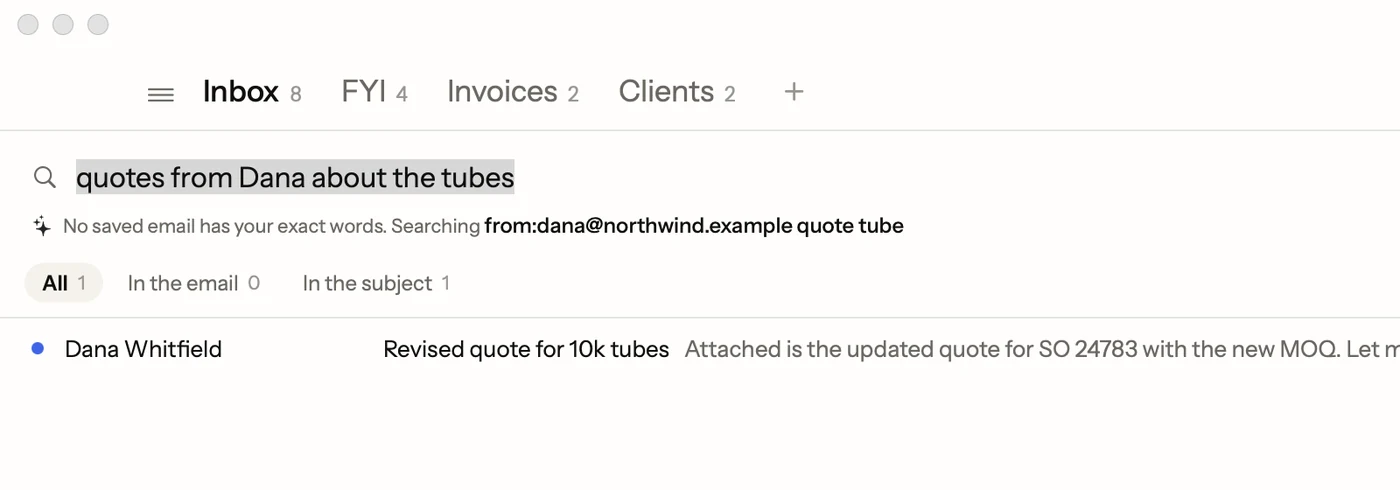
Because Postal only does Gmail, it can use Gmail's own connection and nothing else. Gmail labels stay labels, and you can turn any of them into an inbox tab. Archive, stars, labels and spam do exactly what they do in Gmail on the web.
And because it's made for the Mac, it's built around the keyboard. Single keys handle the daily work: E archives, R replies, H hides an email until later, # trashes. ⌘K finds any command by name.
When Spark is the better pick
If you need Outlook or iCloud mail next to Gmail, a Windows or Android app, shared inboxes for a team, or Spark's built-in calendar and Smart Inbox, Spark does things Postal doesn't. If all your mail is Gmail and you work on a Mac, Postal is the simpler, more private choice, and it costs nothing.
Facts on this page checked . Other apps change; their own sites have the latest.
Join Postal's free waitlist
Leave your email and click the link we send to confirm it. Everyone confirmed by Tuesday at 10 AM Pacific gets an invite that day, and we help each one get set up.
Free · macOS 15 or later · Gmail and Google Workspace. The iPhone app is on TestFlight. How we use your email