
Field guide
How to manage multiple Gmail accounts on a Mac
Signing in and out of Gmail tabs gets old. Ways to keep several Gmail and Google Workspace accounts open on a Mac, and a free app that shows them in one list.
A work Gmail, a personal Gmail, maybe a side business on Google Workspace. Keeping them all open on a Mac usually means a row of browser tabs that all look the same, and the odd reply from the wrong one.
Here are the ways to handle it, from what Gmail gives you to an app built for it.
In the browser
Add accounts to Gmail
In Gmail on the web, click your picture at the top right, then Add another account. Each account opens in its own tab, and you switch from that same picture menu. It works, but you still read each inbox on its own.
Use a browser profile per account
Chrome and Safari both let you make separate profiles. In Safari, choose Safari, then Settings, then Profiles, then Start Using Profiles (or + once you have some). In Chrome, click your picture at the top right, then Add. Give each Gmail account its own profile and window, with its own color. It keeps work and personal apart, at the cost of more windows.
Apple Mail
Apple Mail can hold all your Google accounts in one window with a combined inbox: in Mail, choose Mail, then Add Account, and pick Google from the list. It works over IMAP, so Gmail labels show as folders (more on that).
In a Mac app
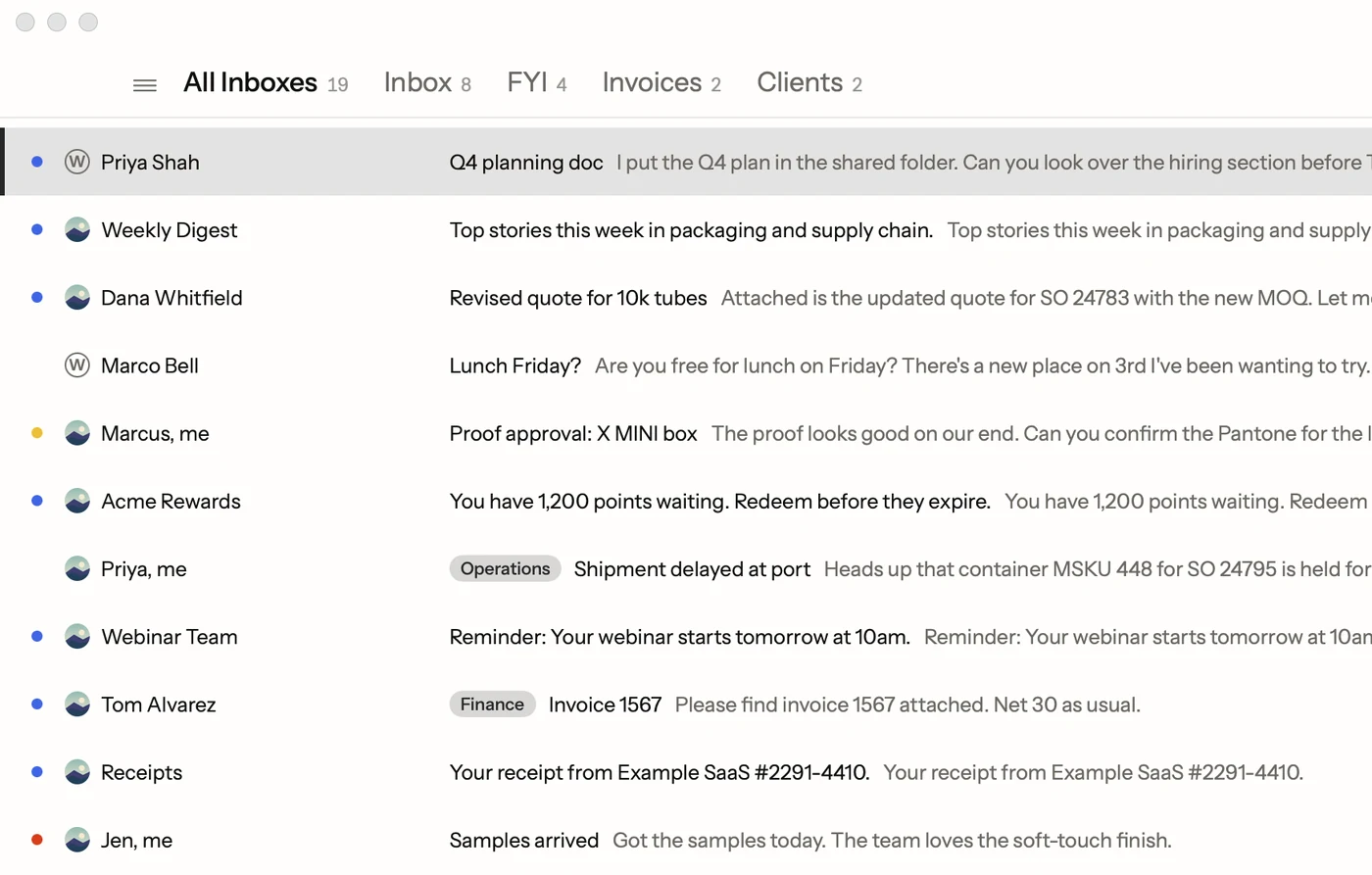
All Inboxes in Postal
Postal is a free Mac app for Gmail and Google Workspace. Add as many Google accounts as you have, and they stay signed in together.
- One list for everything. ⌃0 opens All Inboxes, every account's mail together, newest first, each email marked with its account.
- One key per account. ⌃1, ⌃2 and so on jump straight to one account.
- A picture for each. Give each account its own picture, so you always know which inbox you're in.
- Replies from the right address. Answer mail sent to one of your addresses and the reply goes out from that one. When you have aliases, ⌘⇧F picks another.
- Each account's signature. Postal uses the signature you set in Gmail for each account.
Every account still talks only to Google. Postal has no servers of its own between your Mac and your mail, so adding a work account doesn't send its mail anywhere new.
Which one to pick
If you have two accounts and check the second once a week, Gmail's own account switcher is fine. If you answer mail from several accounts every day, one app with one list saves the tab hunting, and makes it easier to see which account you're writing from.
Facts on this page checked . Other apps change; their own sites have the latest.
Join Postal's free waitlist
Leave your email and click the link we send to confirm it. Everyone confirmed by Tuesday at 10 AM Pacific gets an invite that day, and we help each one get set up.
Free · macOS 15 or later · Gmail and Google Workspace. The iPhone app is on TestFlight. How we use your email